If your association has linked its own domain with e-Captain then you have the possibility to connect your email accounts to your domain through e-Captain
See below for two different options:
For managing the e-mail accounts on e-Captain, you can go to:
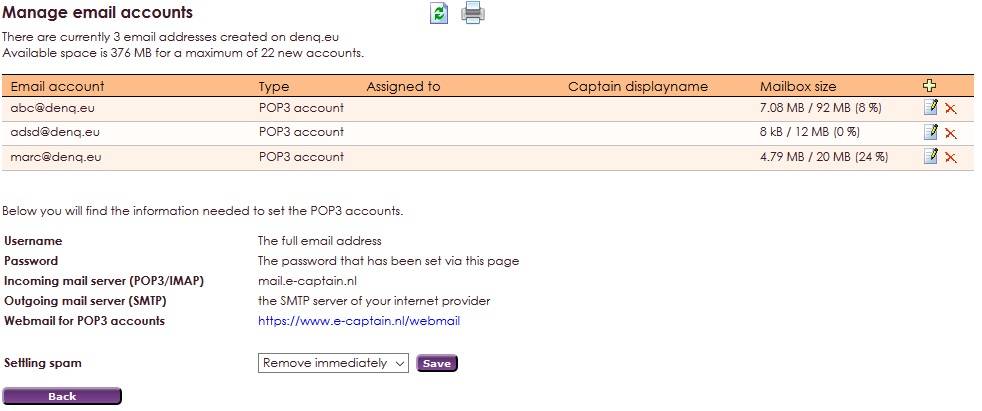
 in the orange bar on the top right.
There is a standard of 25 e-mail accounts you can make. For that you got 250 MB of space. On top of te page you can see how many space there is left.
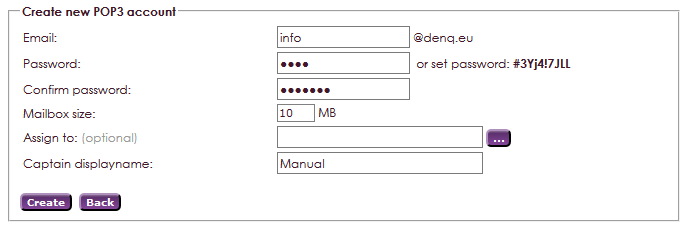
| Username | Use your e-mailaddress |
| Password | The password that is set in e-Captain |
| Incoming mailserver (POP3) | mail.e-captain.nl |
| Incoming mail STARTTLS | Port 110 (acknowledge certificate) |
| Incoming mail SSL/TLS | Port 995 (acknowledge certificate) |
| Outgoing mailserver (SMTP) | The SMTP server of your internet provider, such as smtp.example.nl |
| Outgoing mail STARTTLS | Port 587 (acknowledge certificate) |
| Outgoing mail SSL/TLS | Port 587 (acknowledge certificate) |
| Webmail | http://webmail.e-captain.nl |
in the orange bar on the top right.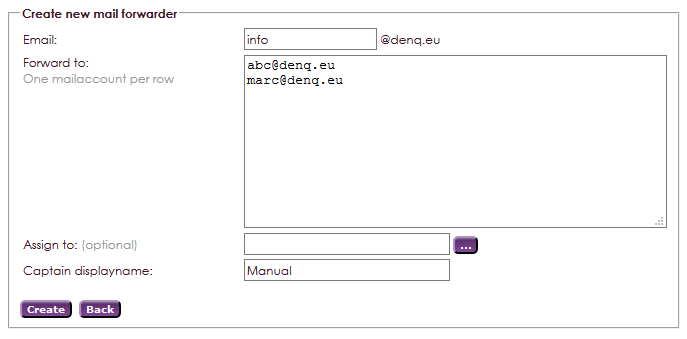
| Username | Use your email address |
| Password | Password that is set for e-Captain |
| Incoming mailserver (IMAP) | mail.e-captain.nl |
| Incoming mail STARTTLS | port 143 (acknowledge certificaat) |
| Incoming mail SSL/TLS | port 993 (acknowledge certificaat) |
| Outgoing mailserver (SMTP) | The SMTP server of your internet provider, such as smtp.example.nl |
| Outgoing mail STARTTLS | port 587 (acknowledge certificaat) |
| Outgoing mail SSL/TLS | port 587 (acknowledge certificaat) |
| Webmail | http://webmail.e-captain.nl |
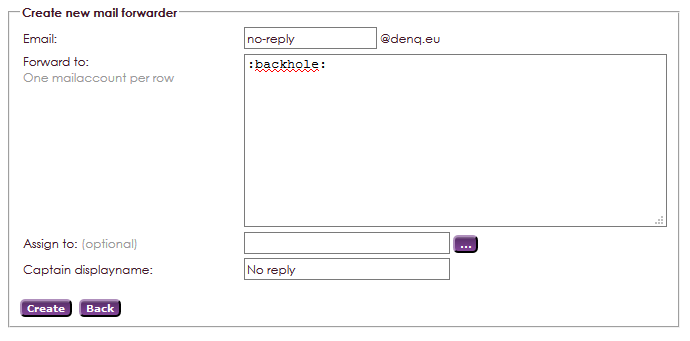
There is the ability to create a forwarding addres that ends up no where. Those are normally utilized for the so called no-repley email accounts. Mainly usefull if information is send by association, but no-repley is desired.